

Home
Shop
CONVENIENT, RELIABLE, TRUSTWORTHY. FAST SHIPPING!!! COUNTRYWIDE DELIVERY*. CALL 0795920902

Why Buying Genuine ICT Equipment in Kenya Is Always Cheaper in the Long Run

There’s that special kind of frustration Kenyan business owners know too well. You buy the cheaper option thinking you’ve landed a great deal, only for the equipment to work for three months. Then it refuses to power up anymore. And the money you saved upfront has now cost you double thanks to repairs, replacements, and the hidden downtime you never factored in. The whole thing is just painful.

It happens with laptops. It happens with printers. It happens with routers, UPS units, surge protectors, and IT accessories. The pattern is consistent: the cheaper product costs more over time, every time.

This is not an argument for spending money you do not have. It is an argument for spending money wisely, and understanding what genuine ICT equipment actually means for a Kenyan business in 2026.

What “Genuine” Actually Means

When we talk about genuine ICT equipment, we mean products that are exactly what they claim to be. The HP laptop with an Intel Core i7 processor actually has that processor inside. The Canon printer’s ink tank actually holds the capacity on the box. The UPS unit actually delivers the power output it advertises.

This sounds obvious. It should be. But Kenya’s ICT market has a counterfeit problem that is bigger than most buyers realise.

Counterfeit products are built to look identical to genuine ones. The box, the logo, the model number: all copied accurately. What is different is everything inside. Cheaper components, substandard materials, no quality testing, and no warranty that any manufacturer will honor. A counterfeit laptop charger that looks identical to a genuine one can damage your battery, corrupt your motherboard, or in extreme cases start a fire.

The True Cost of Cheap Equipment

Most buyers compare the purchase price of two products and choose the lower number. This is understandable but incomplete. The real comparison is total cost of ownership. That meanswhat the product costs you over its entire useful life, including repairs, replacements, lost productivity, and support.

The laptop that costs KSh 15,000 less upfront but runs on underspecified components will slow down within a year, require repairs within two, and need full replacement within three. The genuine business-grade machine at a higher initial price runs for five to seven years with minimal maintenance. Spread across the useful life of each machine, the genuine option is almost always cheaper per year of productive use.

The cheap UPS unit that does not actually deliver its rated output will fail to protect your equipment during a power surge. The laptop or desktop it was supposed to protect gets fried. You replace both the UPS and the computer. The KSh 3,000 you saved on the UPS costs you KSh 40,000 in hardware.

The counterfeit surge protector offers no real surge protection, but only a sticker. Kenya’s power grid spikes without warning. A genuine surge protector absorbs the spike and saves your equipment. A counterfeit lets it through resulting in equipment damage.

The substandard printer jams constantly, burns through more ink than it should, and requires a technician every few months. A genuine ink tank or laser printer from a reputable manufacturer runs for years with minimal intervention and a cost-per-page that actually matches what is on the packaging.

The pattern repeats across every product category. Cheap looks attractive at the point of purchase. Genuine looks attractive every day after.

What Downtime Actually Costs a Kenyan Business

There is another cost that never appears on the product label: the cost of your time when equipment fails.

A laptop that crashes mid-presentation with a client. A printer that jams on the morning of a proposal deadline. A router that drops every hour during a week of important video calls. A UPS that fails silently and lets a power surge kill three workstations overnight.

Each of these events costs the business something that cannot be recovered: time, credibility, momentum, and in some cases clients. For a small Kenyan business where every working hour matters and every client relationship is hard-won, equipment failure is no longer a minor inconvenience but a huge business risk.

Genuine equipment from reputable brands does not eliminate failure entirely: no equipment does. But it reduces failure rates dramatically, extends the time between replacements, and comes with manufacturer warranties that mean when something does go wrong, there is a clear path to resolution available.

The Warranty Question

When you buy genuine ICT equipment from a reputable dealer in Kenya, you get a warranty that actually means something. If the product fails within the warranty period, there is a clear, structured path to resolution.

At Digitonia, warranty terms are specific and clearly stated. New laptops, computers, and printers carry a one-year warranty or as per the manufacturer’s terms. Ex-UK refurbished laptops and computers carry a six-month warranty. Branded accessories and monitors carry a six-month warranty. These are real commitments, backed by a returns and inspection process that the team honours.

When you buy from a grey market importer or an unverified roadside seller, the warranty card in the box is worth nothing. The manufacturer has no record of your purchase, and the seller’s verbal assurance rarely survives the moment you walk out the door.

For a business, a warranty is part of the real price of the product. Factor it in honestly and the gap between buying genuine and buying cheap narrows significantly or disappears entirely.

What Genuine Equipment Looks Like for a Kenyan Business

At Digitonia, every product we stock is genuine. Our range covers everything a Kenyan business or individual needs — new laptops and tablets, Ex-UK business-grade machines from HP, Lenovo, and Dell, new monitors and desktops, printers, projectors, networking equipment, external storage, antivirus licences, smart home gadgets, PC accessories, phone accessories, power backup solutions, and printer consumables. All sourced from authorized supply chains.

For buyers who want a brand-new machine with full manufacturer warranty, our new laptops and tablets category has options across different budgets. For buyers who want the best value in a business-grade machine, our Ex-UK range delivers proven durability at a price point that makes sense. Both options are genuine, both are warranted, and both are inspected before they leave us.

Our warranty terms are transparent. New laptops, computers, and printers carry a one-year warranty. Ex-UK refurbished laptops and computers carry a six-month warranty. Every claim requires proof of purchase and original packaging, which we advise every customer to store safely until the warranty period expires.

We are not the cheapest option in every category. We are not trying to be. We are trying to be the option that costs our clients the least over time: in repairs avoided, in downtime prevented, and in equipment that lasts and performs the way it is supposed to.

For a Kenyan business investing in its ICT setup, that distinction matters more than the sticker price.

Ready to build a setup that actually lasts?

WhatsApp or call 0795 920 902 and our team will help you choose the right equipment for your business size, workflow, and budget.

From Home Office to Corporate Floor: The Right Canon Printer for Every Stage of Your Business

Every Kenyan business starts somewhere. A consultant working from a spare bedroom in South B has different printing needs than a 40-person law firm in Upper Hill, and a growing retail outfit scaling up in Nairobi’s CBD sits somewhere in between. What rarely gets talked about is that a printer is one of the few pieces of office equipment that should actually change as your business grows. Buying for the stage you’re in, rather than the stage you wish you were in (or the one you’ve already outgrown), saves money and headaches in equal measure.

Here’s how to think about printing at each stage of your business journey, and which Canon printer fits where.

Stage One: The Solo Operator

At this stage, your “office” might be a laptop, a good chair, and a corner of your living room. Your printing needs are occasional but real: contracts to sign, invoices to send, the odd document a client insists on having physically. You don’t need speed or volume. You need something compact, wireless, and simple enough that you never have to think about it.

The Canon Pixma TS3640 is built exactly for this moment. It handles printing, copying, and scanning from one small, unobtrusive unit, and connects to your phone or laptop over Wi-Fi so you can send a document to print without ever plugging in a cable. For a freelancer, a tutor, or a consultant just getting their business off the ground, it covers everything without asking for office space you don’t have.

Stage Two: The Growing Small Business

Once you’ve moved into a proper office, even a small one, your printing volume climbs quickly. Quotations, delivery notes, training materials, marketing flyers. This is the stage where the cost of ink starts to matter, because you’re no longer printing a handful of pages a week but dozens or hundreds.

This is where Canon’s MegaTank ink system earns its keep. Instead of replacing small cartridges every few weeks, MegaTank printers use refillable ink bottles designed to last for thousands of pages before a refill is needed. The Canon G3410 and Canon Pixma G3430 both fit naturally here, giving a small business wireless printing, scanning, and copying with a running cost that stays low even as volume grows. For businesses that print a lot of photos or marketing visuals alongside documents, the Canon Pixma G540 adds a six-ink system for sharper, more vibrant colour output.

If your business is closer to a small design studio, an events company, or a boutique retailer producing a steady stream of visual materials, the extra colour depth of the G540 is worth the consideration.

Stage Three: The Established SME

By the time a business has a real team, a receptionist, an admin office, maybe a small back office handling accounts, printing becomes a daily, non-negotiable part of operations. Documents need to move fast, colour needs to look professional on client-facing material, and downtime isn’t an option during a busy week.

This is the point where colour laser becomes worth the investment. The Canon MF655CDW and Canon MF664CDW are built for exactly this environment: fast first-page-out times, automatic duplex printing to cut paper costs, and a 50-sheet automatic document feeder that lets an office assistant scan a stack of contracts and walk away. Both connect over Gigabit Ethernet and Wi-Fi, so they fit into a shared office network without any fuss. Additionally, both support direct printing from Google Drive, Dropbox, or a USB drive, which is useful for a business juggling documents across a few different platforms.

For an SME that prints high volumes of internal paperwork rather than client-facing color material, the Canon MF275DW is worth a look too. It’s a monochrome workhorse rated for up to 3,000 pages a month, with security features like data encryption and user authentication built in, a detail that matters for legal, financial, or medical offices handling sensitive client information.

Stage Four: The Corporate Floor

At full scale, a business isn’t printing occasionally. It’s printing constantly, across departments, often with multiple people queuing jobs at once. A hospital admin desk, a government service counter, or a law firm’s document room all share the same requirement: a printer that can handle a genuinely high monthly volume without becoming a bottleneck.

The Canon MF752CDW is built for this level of demand: printing and copying at up to 33 pages per minute in full color, with a recommended monthly volume of up to 4,000 pages and a duty cycle rated for as high as 50,000. For an organization printing large batches daily, that headroom matters. If the priority shifts toward pure cost-efficiency at high volume rather than laser speed, the Canon GX6140 offers a MegaTank alternative capable of printing up to 24 pages per minute with ink yields stretching into the tens of thousands of pages per set. This is a genuine option for a large office trying to keep printing costs predictable at scale.

Matching the Printer to Where You Actually Are

The mistake many growing businesses make is either buying too much printer too early, tying up capital in a machine built for a volume they won’t reach for years. Some businesses also make the mistake of staying with entry-level equipment long after their needs have outgrown it, and paying for that mismatch in slow queues and expensive ink refills. The better approach is to be honest about which stage your business is in today, and to leave room to move up when it changes.

Not sure which stage fits your current operation, or whether it’s time to move up a tier? Get in touch with the Digitonia team and we’ll help you match the right printer to your actual workflow, not just your budget.

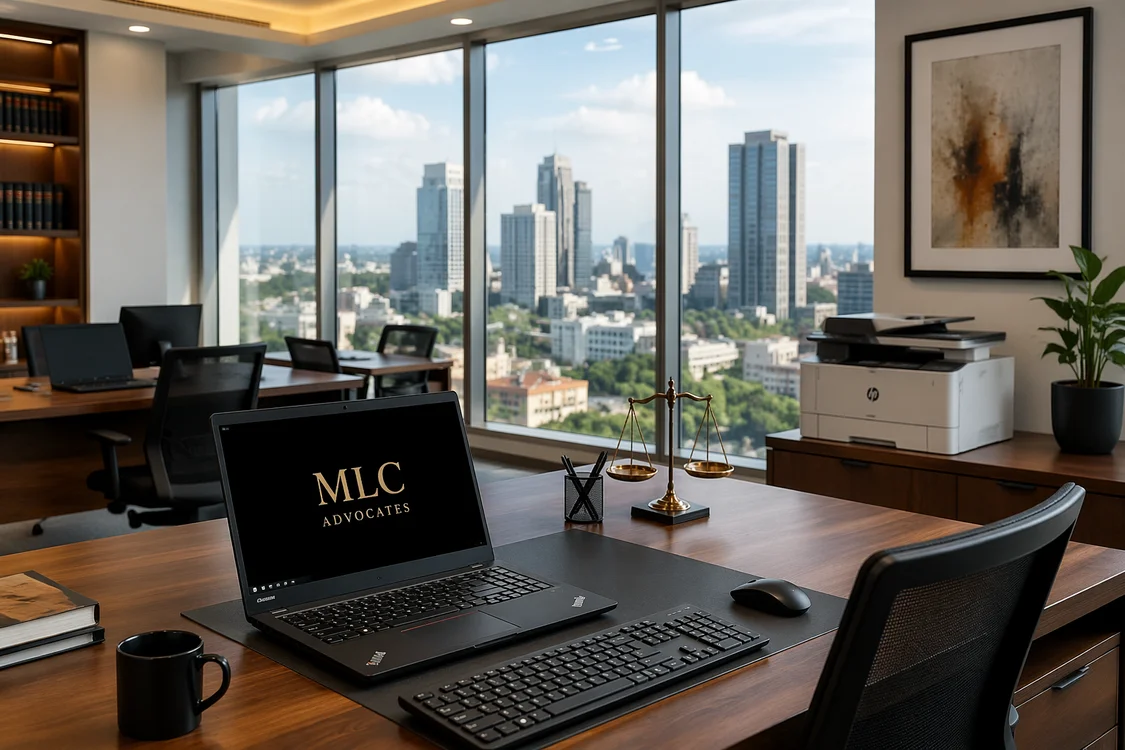
What It Looks Like When We Equip a Law Firm in Nairobi

A law firm runs on precision, confidentiality, and deadlines.

Client files are sensitive. Court filing dates are fixed. A slow machine or a dropped internet connection on the wrong day can cost a client real money and a firm its reputation. The tech setup behind a law firm has to be reliable, secure, and built to handle the pressure of a demanding professional environment.

When a law firm reaches out to Digitonia, we do not just sell them laptops and wish them well. We ask questions first. How many staff? What does a typical workday look like? Where does the current setup break down? What is the budget, and what is the timeline?

The answers shape everything. Here is what a typical Digitonia law firm setup looks like:— from the first conversation to the day the team sits down and gets to work.

The Brief

A mid-sized law firm. Eight to fifteen staff: a mix of advocates, paralegals, and administrative support. Operating from a rented office in Upper Hill, Westlands, or the CBD. They have been running on a patchwork of personal laptops, a shared printer that jams twice a day, unreliable internet, and no power backup whatsoever.

The pain points are always similar:

  • Staff bringing personal laptops to work: inconsistent specs, no centralized security, and no IT control
  • A single internet line with no backup when it goes down
  • Load shedding that kills productivity for hours at a time
  • A printer that is simultaneously everyone’s most-used and most-hated device
  • No structured data backup: files living on individual machines with no protection

The goal is to fix all of this in one coordinated setup, without disrupting the firm’s ongoing work.

Step 1: The Workstations

Every advocate and paralegal needs a reliable, fast machine that handles document-heavy work without lag. Legal work in Kenya means Microsoft Word, PDF tools, legal research platforms, document management systems, and multiple browser tabs open simultaneously.

For most law firms, HP Elitebook or Lenovo ThinkPad Ex-UK laptops hit the right balance. Business-grade build quality, 8th or 10th Gen processors, 8GB RAM minimum, and SSD storage: fast, durable, and built for exactly the kind of sustained daily use a busy law office demands. For senior partners who work across multiple locations or carry their machines to court, the slim, lightweight 13.3-inch variants are the right call. For office-based paralegals and admin staff, a 14-inch model with a full keyboard gives more working real estate.

Each workstation gets a wireless keyboard and mouse combo: clean desk, no cable clutter, professional appearance for a firm that receives clients regularly.

Step 2: The Network

A law firm cannot afford internet downtime. Fibre is the primary connection where available, but no law firm should run on a single line with no contingency.

The TP-Link 4G LTE Router TL-MR6400 handles this cleanly. It runs on a Safaricom or Airtel SIM as a standalone 4G router, or plugs into the fibre line and switches automatically to 4G when the primary connection drops. For a law firm, this means a filing deadline never gets missed because the internet went down at the wrong moment.

For larger office floors or firms spread across multiple rooms, a TP-Link Access Point EAP245 ensures every corner of the office has strong, consistent Wi-Fi. Ceiling-mounted and managed centrally via the Omada app, it keeps the network tidy and professional: no consumer routers sitting on desks with cables trailing across the floor.

A separate guest network keeps client Wi-Fi completely isolated from the firm’s internal systems: a basic but important security measure.

Step 3: Power Backup

This is where many Kenyan offices cut corners and live to regret it. A law firm with no power backup is one KPLC outage away from a missed deadline, lost billable hours, or worse: corrupted files on a machine that shut down mid-save.

Every office needs at minimum one APC Easy UPS per workstation cluster, which is enough runtime to finish what is on screen, save everything, and shut down cleanly if the outage runs long. For the server or NAS unit storing shared files, a dedicated UPS is non-negotiable.

Every desk gets a Lightwave Power Extension with overload protection between the wall and the equipment. Kenya’s power grid surges without warning. A surge protector is cheap insurance against replacing a KSh 40,000 laptop.

Step 4: Printing and Scanning

Every law firm prints heavily. Contracts, affidavits, court filings, correspondence: the paperless office remains aspirational for most Kenyan firms in 2026. What matters is having a printer setup that handles the volume reliably with no jamming on a filing day, no toner running dry mid-document, and no waiting for a technician every few weeks.

For a firm printing moderate volumes of up to 500 pages per week, then a reliable multifunction laser printer like Kyocera EcoSys 1025 handles printing, scanning, and copying from a single device. Laser is the right call over inkjet for a law firm: faster, sharper text output, and cost-per-page that makes sense at volume.

For firms printing heavy volumes like contracts running into hundreds of pages or bulk correspondence, then a networked office printer like Kyocera M4125IDN that every workstation can access easily is the right investment.

Step 5: Data Security and Backup

This is the conversation most IT suppliers skip entirely, and it is arguably the most important one for a law firm.

A law firm holds sensitive client data: case files, financial records, personal information, privileged communications. Unauthorized access or data loss carries serious professional and legal consequences, which makes security a core part of the setup rather than an optional extra.

Every machine gets a genuine, currently licensed antivirus like Kaspersky Plus, or Quick Heal depending on the firm’s preference: actively updated and properly installed across every workstation.

For backups, every firm needs at least two layers. A SanDisk E30 2TB Portable SSD for fast, daily backups of active case files. A Transcend 4TB External HDD kept offsite at a partner’s home or a secure secondary location for long-term archiving and disaster recovery.

A simple way to test your backup strategy: if the office burned down tonight, how long would it take to recover your files? A properly backed-up law firm measures that in hours. Without a structured backup plan, the answer is far less comfortable.

Step 6: Physical Security

A law firm holds documents that opposing parties, fraudsters, and bad actors would love to access. Physical security is part of the overall setup — not an afterthought.

A Eufy Smart Lever Lock C33 on the office entrance gives the managing partner full control over who accesses the premises and when. Individual PIN codes for each staff member mean access can be granted or revoked instantly: no rekeying, no lost keys, and no awkward conversations. The activity log shows exactly who entered and at what time, which matters for a firm with confidential files on every desk.

A Havit IPC30 2K IP Camera at the entrance and reception area gives remote visibility — the managing partner can check the office from anywhere, receive motion alerts after hours, and have footage available if anything is ever disputed.

What the Full Setup Costs

Every firm is different, and so is every budget. A lean setup for a smaller firm: eight workstations, basic networking, power backup, one printer, antivirus, and backup storage — typically falls between KSh 350,000 and KSh 550,000 depending on the spec of machines chosen and the scope of networking required.

A more comprehensive setup for fifteen workstations with full security, structured cabling, ceiling access points, and premium machines sits between KSh 700,000 and KSh 1,200,000.

Both are investments that pay for themselves quickly in recovered productivity, eliminated downtime, and the professional credibility that comes from a setup that simply works.

Why Law Firms Choose Digitonia

We supply genuine equipment with warranties and stay reachable on WhatsApp long after delivery. Our team stands behind every product we sell, which matters for a firm where equipment reliability directly affects client service.

We also approach every setup as a system: internet, power backup, security, and workstations all working together from day one rather than a collection of individual products assembled without a plan.

Equipping a law firm, a corporate office, or any professional space in Kenya? WhatsApp or call 0795 920 902 for a consultation and customized quote.

The Complete Tech Setup Guide for Kenyan Airbnb Hosts in 2026

The Kenyan short-stay rental market is booming. From studio apartments in Kilimani to vacation cottages in Diani, more property owners are listing their spaces on Airbnb and other booking platforms: and competition is fierce. A clean space gets you listed. A well-equipped space gets you five-star reviews, repeat bookings, and premium pricing.

Guests staying in a Kenyan Airbnb in 2026 expect more than a bed and a hot shower. They want fast Wi-Fi that actually works, entertainment at the end of a long day, clean air, and a unit that feels secure even when the host is not around. Miss any of these and it shows up in your reviews.

This guide covers everything a Kenyan Airbnb host needs to set up a smart, guest-ready property: from internet and security to power backup and the small touches that turn a one-time guest into a return booking.

1. Internet — The Make-or-Break Amenity

Ask any frequent traveller what they check first on an Airbnb listing. Wi-Fi speed. Every time. A guest who cannot connect reliably will not only leave a bad review, but also they will tell every person they know.

Kenya’s internet reality means you need a primary connection and a backup. Load shedding, router reboots, and ISP outages are not your guest’s problem. Your setup should handle them invisibly.

TP-Link 4G LTE Router — TL-MR6400

The TL-MR6400 is the backbone of a resilient Airbnb internet setup. Insert a Safaricom or Airtel SIM card and it immediately shares 4G internet with up to 32 devices: no configuration needed. Two external LTE antennas ensure a stable signal even in areas with moderate 4G coverage. When fibre or a fixed line is available, plug in an Ethernet cable and use it in router mode with 4G as automatic backup. Your guests stay connected regardless of what happens to the primary line.

For Airbnb hosts, this is the simplest way to offer reliable internet without depending on a single connection source.

Best for: Studios, one-bedroom, and two-bedroom units where the host wants a single, reliable internet device that handles everything.

TP-Link Range Extender 300Mbps — TL-WA850RE

For larger units, open-plan spaces, or properties where the router sits in one corner and the bedroom is at the other end of the apartment, a Wi-Fi extender is essential. The TL-WA850RE plugs directly into a wall socket, picks up the router signal, and rebroadcasts it to areas the router cannot reach on its own.

The LED Night Mode feature is a thoughtful detail for a guest bedroom as the indicator lights dim automatically so they do not disturb sleeping guests. The Tether app lets you manage it remotely from your phone without visiting the property.

Best for: Larger units, multi-room apartments, maisonettes, or any property where Wi-Fi dead zones are a problem.

TP-Link Ceiling Access Point 300Mbps — EAP115

For hosts managing multiple units in the same building like an apartment block, a guest house, or a serviced residence, the EAP115 ceiling-mounted access point is the professional solution. It mounts flush to the ceiling, delivers even coverage across an entire floor, and supports load balancing so the connection stays fast even when multiple guests are online simultaneously.

It integrates with TP-Link’s Omada cloud management system, meaning you can monitor and manage the Wi-Fi across every unit from a single app without visiting each room. Guest network support with voucher-based access keeps your main network secure while giving guests their own dedicated connection.

Best for: Multi-unit properties, guest houses, serviced apartments, and Airbnb hosts managing more than two units in one building.

2. Security — Guest Peace of Mind and Host Control

A guest sleeping in an unfamiliar place wants to feel safe. A host who cannot be physically present needs to know exactly who is entering and leaving. The right security setup addresses both.

Eufy Smart Lever Lock C33 — Keyless Entry

This is the single most impactful upgrade an Airbnb host can make. The Eufy C33 eliminates the most common friction point in short-stay rentals, which is key handover. Guests check in using a PIN code, fingerprint, or the eufy Security app on their smartphone. No waiting for the host. No lost keys. And most importantly, no awkward key-drop arrangements.

Each guest gets a unique, time-limited access code that expires automatically at checkout. The activity log shows you exactly when the door was opened and by whom, which is essential for resolving any disputes. Military-grade encryption and tamper alerts mean the lock flags any unauthorized access attempts immediately. Physical key backup ensures guests are never locked out in a worst-case scenario.

The weather-resistant construction handles Kenya’s humidity and dust without degrading, and the battery lasts up to 8 months on AA batteries with low-battery alerts before they run out.

Best for: Every Airbnb unit. This is not optional for any serious host.

Havit IPC30 2K WiFi IP Camera

Place this in the living room, at the entrance, or facing the front door: never in private spaces like bedrooms or bathrooms, and always disclosed to guests in your listing as required by Airbnb policy. The IPC30 delivers 2K ultra-HD footage with 355° pan and 80° tilt, covering virtually an entire room from a single device.

Smart motion detection sends instant alerts to your phone the moment activity is detected. Two-way audio means you can greet guests remotely on arrival, answer questions without being present, or address any concerns in real time. Night vision and local SD card storage up to 128GB means footage is recorded around the clock without monthly subscription fees.

For a host managing a property remotely, especially one in a different part of Nairobi or another county, this camera is your eyes on the ground.

Best for: Entrance areas, living rooms, and common areas in Airbnb units managed remotely.

3. Power Backup — Because Load Shedding Is a Review Killer

Nothing tanks an Airbnb review faster than a guest sitting in the dark with a dead laptop and a half-cooked dinner. Kenya’s power situation is what it is. Your job as a host is to make sure your guests never experience it.

Mercury UPS 1550VA — ST1500

The Mercury ST1500 keeps your essential devices running during outages: router, TV, smart lock, camera, and laptop charging for long enough to either wait out a short outage or shut down gracefully during a longer one. Multiple outlets accommodate the variety of devices a guest brings, and the clear indicators make it easy for guests to understand the system without calling you.

For Airbnb hosts, a UPS is not a luxury. It is what separates a professionally managed unit from one that leaves guests frustrated and reaching for the one-star button.

Best for: Every unit. Prioritise keeping the router, smart lock, and at least one charging point live during outages.

Lightwave 10-Socket Surge Protector — LW-EXT-106U-3P

Guests travel with phones, laptops, cameras, travel adapters, and charging cables, and they will plug in everything simultaneously. The Lightwave 10-socket extension with USB charging ports and surge protection gives them the outlets they need while protecting every device connected to it from voltage spikes. Kenya’s power grid surges without warning, and a single spike can fry a guest’s laptop. That is a conversation and a liability no host wants.

Place one at the desk and one at the bedside. It is a small investment that prevents a potentially massive problem.

Best for: Desk area, bedside table, and living room entertainment setup.

4. Entertainment — What Guests Do After a Long Day

A guest who checks in after a 6-hour drive from upcountry or a full day of meetings wants to unwind. A well-set entertainment setup is a quiet five-star review waiting to happen.

Havit PJ215 PRO Android Smart Projector

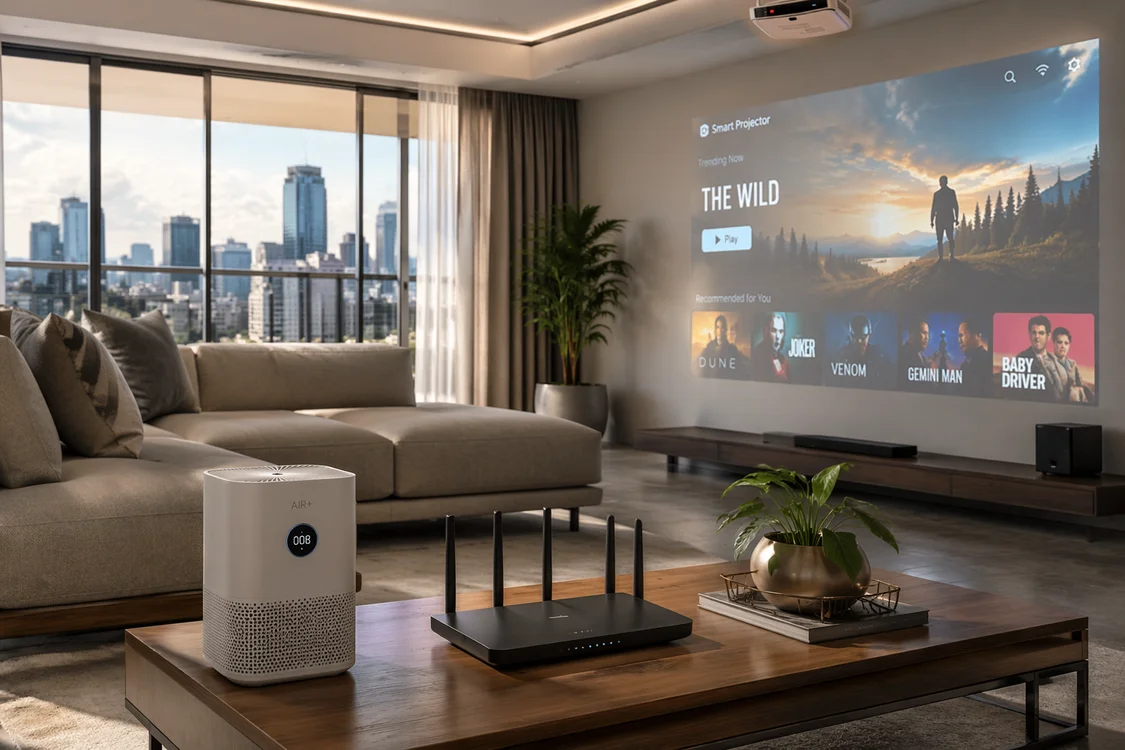
A projector transforms a plain white wall into a cinema experience and guests absolutely love it. The PJ215 PRO runs Android 9.0 natively, meaning guests can log into their Netflix, YouTube, or Showmax accounts directly without connecting any external device. With native 720p resolution, 4K support, and a 150-inch maximum display, it turns the living room into a proper movie night setup.

The compact, lightweight design means it does not dominate the room during the day. Set it up on a shelf or small stand facing a clear wall, and it becomes one of the most talked-about features of your listing, the kind of thing guests mention in reviews and photos.

Best for: Living rooms, studio apartments, and any unit where a TV would feel too permanent or expensive.

5. Air Quality — The Detail Most Hosts Miss

Guests notice air quality more than hosts realize. A stuffy room, a musty smell, or dusty air, especially during Nairobi’s dry seasons, affects comfort and sleep quality in ways guests cannot always articulate but always feel.

Havit HAP215 Smart Air Purifier

The HAP215 cleans air in rooms up to 30m² at whisper-quiet 25–50dB — quiet enough to run through the night without disturbing a sleeping guest. At just 24W, it costs almost nothing to run continuously. Place it in the bedroom and let it run on its lowest setting between stays to keep the room fresh for every new guest.

It is a small detail that elevates the overall feel of a unit without requiring any guest interaction. Clean air, better sleep, better reviews.

Best for: Bedrooms and small living spaces up to 30m².

Your Complete Airbnb Tech Checklist

CategoryProduct
Internet (Primary)TP-Link 4G LTE Router TL-MR6400
Internet (Coverage)TP-Link Range Extender TL-WA850RE
Internet (Multi-Unit)TP-Link Ceiling Access Point EAP115
Smart AccessEufy Smart Lever Lock C33
Security CameraHavit IPC30 2K WiFi IP Camera
Power BackupMercury UPS 1550VA ST1500
Surge ProtectionLightwave 10-Socket Surge Protector
EntertainmentHavit PJ215 PRO Android Smart Projector
Air QualityHavit HAP215 Smart Air Purifier
CleaningHavit VC015 Handheld Cordless Vacuum

Visit digitonia.co.ke for current pricing or WhatsApp 0795 920 902 for a full quote.

Setting Up Your Airbnb the Right Way

The difference between a 3-star and a 5-star Airbnb in Kenya is rarely the furniture. It is the details: reliable internet, a unit that feels secure, entertainment that works, air that feels clean, and power that does not cut out at midnight.

Every product in this guide is available at Digitonia. Whether you are setting up your first unit or upgrading an existing one, our team will help you choose the right setup for your space and budget: including delivery and basic installation support countrywide.

WhatsApp or call 0795 920 902 to get a customised quote for your Airbnb setup.

How to Protect Your Business Data in Kenya: A Practical Cybersecurity Guide for SMEs

Your business data is more valuable than most of the equipment in your office. Lose a laptop and you replace it. Lose your customer database, financial records, or confidential contracts: and the damage can take months to recover from, if at all.

Cybercrime is not a problem reserved for large corporations in Nairobi’s CBD. Kenyan SMEs are increasingly targeted precisely because they tend to have weaker defences. A phishing email here, an unprotected device there, and suddenly a small business is dealing with stolen data, drained M-Pesa accounts, or locked files demanding a ransom.

The good news is that protecting your business does not require an IT department or a massive budget. It requires the right tools, a few smart habits, and consistency. This guide walks you through exactly that.

1. Start With Antivirus — The Non-Negotiable First Layer

Think of antivirus software as the lock on your front door. You would not run a business from an office with no lock. Running business devices without antivirus in 2026 is the digital equivalent.

Good antivirus software does more than catch viruses. It blocks malicious websites, flags suspicious downloads, monitors for unusual activity, and in some cases includes VPN and password manager features. For a Kenyan SME, the right choice depends on how many devices you need to cover and what level of protection your business requires.

Kaspersky Standard

3 Devices — 1 Year

Kaspersky consistently ranks among the top performers in independent security testing globally. The Standard plan covers essential protection: real-time malware detection, web protection, and performance optimisation. For a small team sharing a few business laptops or desktops, this is a solid, no-fuss starting point. It is light on system resources, meaning it will not slow down your machines while running in the background.

Best for: Freelancers, solo operators, and small teams with 1–3 devices.

Kaspersky Plus

3 Devices — 1 Year

Kaspersky Plus adds a VPN and advanced privacy features on top of the Standard plan’s core protection. The VPN is particularly useful for staff who work from public Wi-Fi at cafés or co-working spaces: a common setup for Kenyan remote workers. Unsecured public networks are one of the most common ways business data gets intercepted.

Best for: Remote teams, business owners who travel frequently, and anyone regularly working from public Wi-Fi.

Bitdefender Antivirus

3 Devices — 1 Year

Bitdefender is consistently rated the best antivirus for performance and detection rates by independent testing labs. It runs almost invisibly in the background with minimal pop-ups and slowdowns, while delivering industry-leading protection. For businesses running older machines where resources are tight, Bitdefender’s lightweight footprint is a genuine advantage.

Best for: Businesses running older or slower hardware, teams that want strong protection without constant interruptions.

Norton Internet Security

3 Devices — 1 Year

Norton is one of the most recognised names in cybersecurity globally and for good reason. Beyond standard antivirus protection, Norton includes smart firewall features, dark web monitoring (alerts you if your business email appears in a data breach), and cloud backup on higher tiers. For business owners who want a trusted, all-in-one solution they can set up once and largely forget, Norton delivers.

Best for: Business owners who want a well-known, comprehensive solution with minimal technical management.

2. Back Up Everything — Religiously

Here is a scenario that plays out more often than most business owners realize: ransomware locks all files on a business computer and demands payment for the decryption key. Businesses without backups either pay up or lose everything. Businesses with recent backups restore their data and move on.

The rule is simple: back up your business data in at least two places: one on a physical external drive, one in the cloud. This is called the 3-2-1 backup strategy, and it protects you against hardware failure, theft, ransomware, and accidental deletion simultaneously.

SanDisk E30 Portable External SSD — 2TB

For daily or weekly backups of critical business files, an external SSD is the right tool. SSDs are faster than traditional hard drives, far more resistant to physical damage (no moving parts to break), and compact enough to lock in a drawer or take offsite.

The SanDisk E30 gives you 2TB of fast, reliable storage in a pocket-sized form factor. That is enough space for years of financial records, contracts, client files, and business documents: all in a device small enough to slip into a laptop bag. SanDisk is one of the most trusted names in storage globally, and the E30 is built for the kind of daily use a busy Kenyan business demands.

Best for: Daily backups of financial records, client files, contracts, and employee data.

Transcend External Hard Drive — 4TB Iron Grey

If your business generates large volumes of data: think a photography studio, a video production company, or a medical practice storing patient records, then an external HDD gives you significantly more storage per shilling than an SSD.

The Transcend 4TB Iron Grey is a serious storage solution for businesses that mean business. With USB 3.1 Gen 1 speeds and a rugged, professional build, it handles large file transfers reliably and stores enough data to cover years of business records across an entire team. Keep one at the office for regular backups and another at a separate location: home, a trusted colleague, or a secure offsite facility, so that a single event like a fire or theft does not wipe out both copies.

Best for: High-volume data businesses, long-term archiving, medical and legal records, and offsite backup copies.

Vention M.2 NVMe SSD Enclosure — USB 3.1 Gen 2

Already have an M.2 NVMe SSD sitting unused inside an old laptop or desktop? The Vention enclosure turns it into a high-speed external drive, no new storage purchase needed.

With USB 3.1 Gen 2 speeds of up to 10Gbps and UASP acceleration, it transfers 1GB of data in roughly one second. That makes it one of the fastest backup solutions available at this price point. The aluminum alloy build doubles as a heat sink, keeping your drive cool during long transfer sessions. It supports drives up to 2TB and fits multiple M.2 drive sizes, making it a versatile addition to any business that wants to repurpose existing hardware rather than spend on new storage.

Best for: IT-savvy business owners, businesses repurposing old hardware, and anyone who wants maximum transfer speed for their backup workflow.

3. Secure Your Network

Your internet router is the gateway to every device in your office. A poorly secured network is an open invitation.

Change the default router password immediately. Most routers ship with a generic admin password that is publicly listed online. Change it to something strong the moment you set up.

Use WPA3 or WPA2 encryption. This is the security standard for Wi-Fi networks. If your router only supports WEP, it is time for an upgrade.

Set up a separate guest network. If clients or visitors need Wi-Fi at your premises, give them a separate network that has no access to your business devices or internal files.

Consider a business-grade router. Consumer routers are built for home use. A TP-Link business router or similar gives you more control, better range, and features like VLAN separation that keep different parts of your network isolated.

4. Train Your Team — The Human Firewall

The most expensive antivirus in the world cannot protect your business if an employee clicks a phishing link or hands over a password to someone pretending to be from their bank.

Common threats Kenyan businesses face include:

Phishing emails — Messages disguised as legitimate communications from KRA, banks, or suppliers asking you to click a link or provide credentials. Always verify directly with the sender before clicking anything.

M-Pesa and mobile money scams — Fraudsters posing as suppliers or staff requesting urgent transfers. Establish a clear internal process for authorizing any payment, no matter how urgent it sounds.

Fake software downloads — Pirated Microsoft Office or antivirus software that comes bundled with malware. Always use licensed, genuine software, as the cost of a legitimate license is a fraction of the cost of a security breach.

Weak passwords — Using the same password across multiple business accounts is one of the most common vulnerabilities. Use a password manager and enforce unique, strong passwords for every business account.

5. Keep Software Updated

Outdated software is one of the most common entry points for attackers. When a vulnerability is discovered in Windows, Google Chrome, or any other widely used software, developers release a patch quickly. Businesses that ignore update prompts leave that vulnerability open, sometimes for months.

Enable automatic updates on all business devices. This includes the operating system, browsers, antivirus software, and any business applications you use regularly.

6. Protect Physical Devices

Cybersecurity is not only a digital concern. A stolen or lost laptop with unencrypted business data is a serious breach regardless of how strong your antivirus is.

Enable full disk encryption on all business laptops. Windows BitLocker and macOS FileVault are built-in and free — they ensure that even if a device is stolen, the data on it cannot be accessed without the login credentials.

Use strong screen lock passwords on all devices: laptops, phones, and tablets.

Never leave business devices unattended in public like in a café, a matatu, or even a client’s reception area. It takes seconds for a device to disappear.

Consider a Kensington lock for desktop machines and monitors in shared office environments.

Need Help Setting Up Your Business Security?

The total investment for a well-protected small business is a fraction of what a single data breach or ransomware attack would cost in lost time, recovery expenses, and reputational damage.

The Digitonia team stocks genuine antivirus licences, external storage solutions, and business networking equipment: everything you need to protect your business from the ground up.

WhatsApp or call 0795 920 902 for personalised recommendations based on your team size and business type, or browse our full range at digitonia.co.ke.

The Right Projector for Every Kenyan Classroom and Boardroom: A Practical Buying Guide

A small screen at the front of the room is no longer enough. Not for a CBE classroom trying to bring learning to life. Not for a boardroom presenting to a client. Not for a training room onboarding ten new staff members. The way Kenyan institutions and businesses communicate visually is changing fast, and the projector sitting at the centre of that change needs to be the right one.

This guide covers every budget level, from an entry-level portable pick to a professional laser unit. Each recommendation is matched to a real use case so you can make a decision based on your actual environment, not just a spec sheet. Prices vary and are updated regularly. Check current pricing on each product page at digitonia.co.ke.

Why Projectors Matter More Than Ever in Kenya

Two things are driving projector demand in Kenya right now.

The first is the Competency-Based Education (CBE). The CBE model moves away from rote learning toward visual, interactive, and activity-based teaching. That is nearly impossible to deliver effectively with a whiteboard and chalk. A projector transforms a classroom into a dynamic learning environment as maps, diagrams, video lessons, and interactive content all become accessible tools rather than expensive luxuries.

The second is the shift in how Kenyan businesses present and collaborate. Clients expect professional presentations. Teams working across multiple locations need shared visual workspaces. Training rooms need to display content clearly to every person in the room. A projector is no longer a boardroom luxury but it is standard professional infrastructure.

The Picks: Matched to Your Environment and Budget

Best Entry-Level Pick: Havit PJ221 Portable HD Projector

The Havit PJ221 is the most accessible projector on this list and deserves an honest introduction. It delivers native 1280×720 HD resolution with 1080p support, weighs just 407g, and fits into a bag without a second thought. At 120 ANSI lumens, it performs best in dimly lit rooms: think evening outdoor screenings, home entertainment, or small informal presentations in controlled lighting.

For businesses, this makes it a practical tool for intimate team meetings, after-hours training sessions, or mobile presentations where a full setup is impractical. For schools, it works well in darkened classrooms or evening community sessions.

What it is not is a replacement for a dedicated classroom or boardroom projector. In a bright Kenyan classroom or a sunlit conference room, 120 lumens will struggle. Buy it for flexibility and portability but not as your primary institutional projector.

Best for: SMEs needing a portable backup projector, small team meetings, home office presentations, informal school use in controlled lighting.

Best Smart Projector for Flexible Use: Havit PJ215 PRO Android Smart Projector

The PJ215 PRO does something none of the other projectors on this list do, which is that it runs Android 9.0 natively. That means you can stream directly from apps, play media from internal storage, and run presentations without connecting a laptop. With 1GB RAM, 32GB storage, and 4K support on a native 720p panel, it punches above its price point for a self-contained setup.

At 250 ANSI lumens and a throw distance of 0.83–3 metres, it handles small-to-medium rooms comfortably in moderate lighting. The 5W built-in speaker is adequate for groups of up to 10–15 people.

For a small Kenyan business without a full IT setup, the smart functionality is genuinely valuable. Connect it to Wi-Fi, install your presentation apps, and present from anywhere without a laptop dependency. For CBE primary school classrooms running digital learning content, the Android platform opens up a world of educational apps directly on the projector.

Best for: Small business meeting rooms, primary school CBE classrooms with Wi-Fi access, training rooms requiring app-based content delivery.

Best Mid-Range Classroom and SME Pick: Epson CO-W01 WXGA Projector

This is where projectors start delivering serious institutional performance. The Epson CO-W01 offers 3,000 lumens, which is enough brightness to hold its own in a normally lit classroom or meeting room without drawing the curtains. Epson’s 3LCD technology produces equally high white and color output, which means the image stays vivid and accurate rather than washed out under ambient light.

The CO-W01 supports a display size of up to 378 inches, and the keystone correction makes setup quick and flexible regardless of where in the room it is positioned. The lamp is rated for 18 years of typical use, making it an investment rather than a recurring expense.

For schools transitioning to CBE, this is the practical sweet spot. It is affordable enough to equip multiple classrooms without exhausting the school budget, bright enough to work in real-world Kenyan classroom conditions, and built by a brand with a proven track record in educational environments.

Best for: CBE primary and secondary school classrooms, SME meeting rooms, community halls, and churches.

Best Full-Featured Business Projector: Epson EB-X49 3,600 Lumens Projector

The EB-X49 is a step up in every meaningful direction. At 3,600 lumens with a 16,000:1 contrast ratio, images are sharp and bright in demanding lighting conditions. The auto vertical and manual horizontal keystone correction gives you full flexibility when mounting or positioning. At 2.7kg, it is portable enough to move between rooms while being substantial enough for permanent ceiling installation.

What separates the EB-X49 from the entry-level picks is its connectivity breadth. Dual VGA inputs, HDMI, composite, USB, Ethernet, and optional wireless LAN mean it integrates cleanly into any existing AV setup. The iProjection app support enables wireless screen sharing from phones and laptops, which matters when multiple presenters need to share content without plugging and unplugging cables during a meeting.

For corporate training rooms and secondary school CBE labs, the EB-X49 delivers professional performance at a price that does not require a capital expenditure approval process.

Best for: Corporate training rooms, secondary school classrooms and labs, medium-to-large boardrooms, conference halls.

Best High-Performance Option: Epson EB-994F Full HD Projector

The EB-994F moves the conversation from adequate to impressive. Full HD 1080p resolution at 4,100 lumens means your presentations, videos, and visuals look genuinely professional on screens up to 304 inches. The built-in Wi-Fi 6/6E with Apple AirPlay 2 and Miracast support means any device in the room from MacBook, Windows laptop, iPhones to Android tablets, can share content wirelessly without a single cable.

The 16W built-in speaker is powerful enough for medium-to-large rooms without external audio support. The lamp is rated for up to 17,000 hours in Eco mode, making maintenance costs negligible over a multi-year ownership period.

For schools, this is the projector for the school hall, the science lab, or the CBE digital hub. For businesses, it is the right choice for a primary boardroom that hosts client presentations, executive meetings, and video conferences.

Best for: University lecture halls, large secondary school CBE digital hubs, executive boardrooms, corporate training centres, houses of worship.

Professional-Grade Pick: Epson EB-L260F Laser Projector

The EB-L260F is in a different category entirely, and it is priced accordingly. The key distinction is the laser light source, which delivers 4,600 lumens of Full HD brightness with zero lamp replacements for up to 20,000 hours of operation. That is roughly 10 years of daily use at 6 hours per day without touching the light source. For institutions and businesses calculating total cost of ownership, this changes the economics significantly.

The wireless setup via Wi-Fi, Miracast, and Epson iProjection supports seamless multi-device collaboration. The projection range of 31 to 310 inches and full connectivity suite with dual HDMI, USB, VGA, and Ethernet, make it adaptable to virtually any installation scenario, from a fixed ceiling mount to a flexible training environment.

This is the projector you buy when downtime is not an option. Schools that cannot afford to have a projector out of service for a lamp replacement. Boardrooms where a failed presentation is not acceptable. Digital signage installations that run continuously. The upfront investment is significant, but the running cost is near zero.

Best for: University and college lecture theatres, large corporate boardrooms, hotel conference facilities, permanent digital signage installations, institutions requiring zero-maintenance projection.

Quick Comparison

ProjectorPriceBrightnessResolutionBest For
Havit PJ221KSh 11,000120 ANSI lumens720p/1080pPortable, informal use
Havit PJ215 PROKSh 19,750250 ANSI lumens720p/4K supportSmart/app-based, small rooms
Epson CO-W01KSh 45,0003,000 lumensWXGACBE classrooms, SME meeting rooms
Epson EB-X49KSh 66,0003,600 lumensXGATraining rooms, large classrooms
Epson EB-994FKSh 99,0004,100 lumensFull HD 1080pBoardrooms, school halls
Epson EB-L260FKSh 187,0004,600 lumensFull HD 1080p (Laser)Institutions, zero-maintenance setups

Prices are subject to change. Visit digitonia.co.ke or WhatsApp 0795 920 902 for current pricing.

A Note on CBE and the Future of Kenyan Classrooms

The CBE curriculum demands that learning be visual, interactive, and engaging. Textbooks alone cannot deliver that. A projector connected to a laptop or tablet transforms a static lesson into an experience with maps that zoom, diagrams that move, and videos that demonstrate what words can only describe.

Schools investing in projectors today are not buying IT equipment. They are buying outcomes: better engagement, higher comprehension, and classrooms that actually meet the CBE standard that the curriculum demands.

Ready to equip your classroom, boardroom, or training room with the right projection solution? The Digitonia team handles everything from selection to installation and support.

WhatsApp or call 0795 920 902 to discuss your specific setup and get a quote tailored to your institution or business.

Back to Top
Product has been added to your cart