


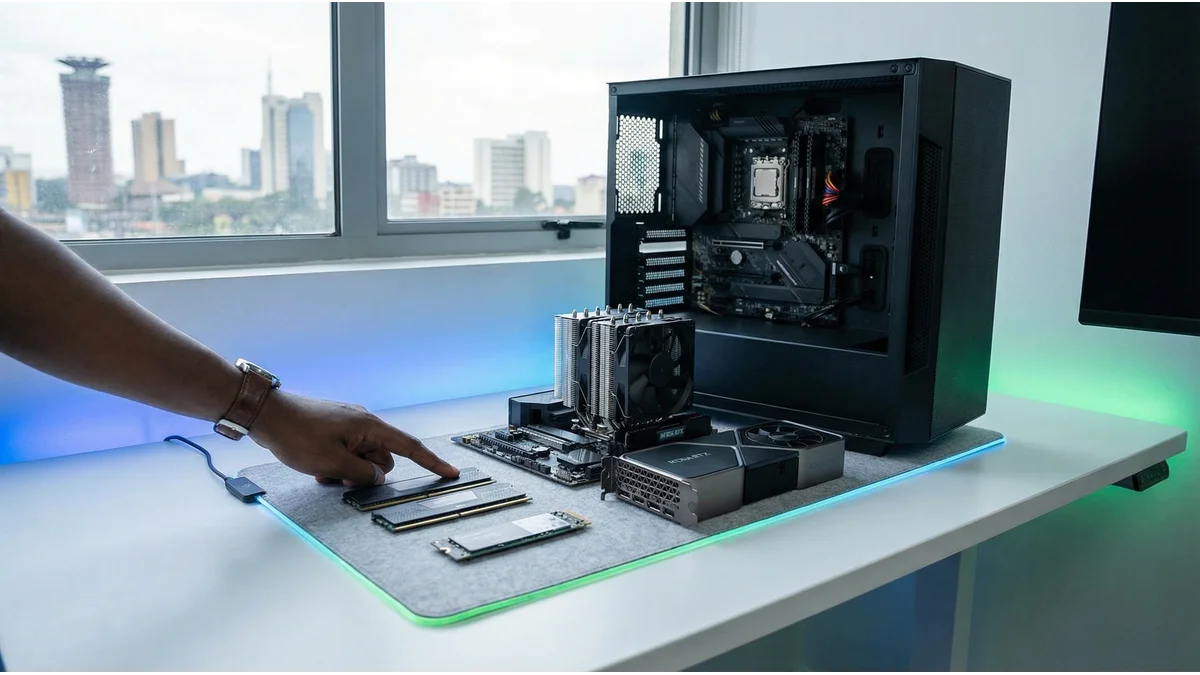
Is Your Computer Slow? Here’s Exactly What to Upgrade (And What to Skip)
Remember when your computer was fast? When programs opened instantly, and multitasking felt effortless? Those days aren’t gone forever. Many Kenyan professionals face the same frustration: a once-reliable machine now crawls through basic tasks. The temptation to replace it is strong.
But here is the truth: your computer is not dead. It is starving for the right upgrades. One or two components are holding it back. Find them, swap them, and watch your productivity return. The key is identifying the right part. Upgrade blindly, and you throw cash away. Upgrade smartly, and your computer runs like new. This guide shows you exactly what to check, what to upgrade, and what to leave alone.
Be Honest About What You Actually Do
Performance bottlenecks depend entirely on your daily workflow. What are you really doing on this machine?
- The Remote VA or Student: Writing reports, handling admin work, and running Zoom in the background? RAM is your bottleneck.
- The Creative Freelancer: Handling heavy, high-res image editing, running AI generation tools, or keeping Canva and Spotify open simultaneously? You need an SSD paired with more RAM. No shortcuts.
- The Day Trader: Running MT4 with multiple custom indicators and real-time news feeds across twenty Chrome tabs? RAM and processor speed are critical.
- The Video Editor or Gamer: You need a dedicated Graphics Card and the best CPU you can get.
Don’t upgrade just because a tech YouTuber told you to. Upgrade to solve the specific lag that is annoying you.
RAM: The #1 Fix for Most Kenyans
If you only upgrade one component, make it this one. RAM upgrades offer the best price-to-performance ratio. They solve multitasking issues faster than any other change. If your system slows down when running multiple programs, memory is likely the bottleneck.
You absolutely need more RAM if:
- Your computer freezes when you switch between basic applications.
- “Not Responding” pops up on your screen for no apparent reason.
- The cooling fan sounds like a posho mill even when you’re just reading a thread on X.
The Fix: Jumping from 4GB to 8GB, or from 8GB to 16GB, makes a massive difference. Upgrading RAM works on most laptops and all desktops. It takes five minutes and provides an instant performance boost.
SSD: Kill the “Spinning Wheel” Forever
Does your hard drive sound like it is clearing its throat every time you open a file? The audible clicking and spinning you hear indicate mechanical wear and potential failure risk. Modern SSDs deliver 5-6 times that performance with zero moving parts.
You need a Solid State Drive (SSD) if:
- Boot time takes over two minutes: You go make tea, come back, and it’s still loading the desktop.
- Programs crawl: You click Microsoft Word, and it takes 30 seconds to open.
- The disk light: That little LED on the side of your laptop keeps blinking like disco lights.
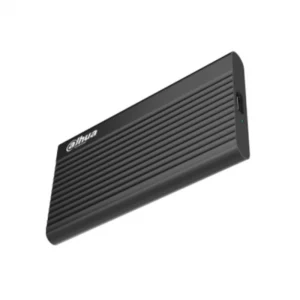
The Fix: A 256GB SSD or 512GB is the ideal upgrade option to run your operating system. An SSD won’t just make your computer faster; it will make it feel alive. It boots in fifteen seconds, opens files instantly, and survives forced load-shedding restarts much better than the fragile old hard drives.
Graphics Cards (GPUs): The Desktop-Only Reality
A weak GPU turns modern software into a slideshow. No amount of RAM or SSD speed will fix blurry textures or frame rate drops. Sometimes, you just need raw visual power that can only be delivered with a dedicated graphics card. For gaming above 1080p, 4K video editing, or 3D modelling, a dedicated GPU is mandatory.
You need a better GPU if:
- High-definition YouTube videos are choppy.
- Games run below 30 FPS, looking more like a PowerPoint presentation than gameplay.
- Rendering or exporting a video takes long enough for you to watch a full movie.
The Fix: You do not need the most expensive card to see improvements. Entry-level graphics cards can still give your system a nice push. Just remember that laptops are tricky because the GPU is soldered to the motherboard, preventing upgrades. So if you buy a laptop, choose one with dedicated graphics from day one. For long term hardware flexibility, desktops remain the superior choice for graphics-intensive workflows.
CPU Upgrades: What You Need to Know
The CPU controls all processing speed in your computer. If your system lags during complex tasks, the processor is likely the bottleneck. Video editing, data analysis, and gaming demand high performance. An upgrade here delivers maximum impact.
- Desktops: Sometimes possible, but you must verify your motherboard’s socket compatibility first. Often, it makes more financial sense to buy a new motherboard and CPU combo together.
- Laptops: Not possible since the processor is permanently soldered to the motherboard. This is why buying a laptop with a capable CPU the first time is so important.
Power & Cooling
KPLC loves to surprise us. Their unannounced blackouts and voltage spikes can kill cheap power supplies. Meanwhile, excessive heat throttles the performance of your system. The following aren’t “speed” upgrades, but they are vital reliability upgrades for surviving the Kenyan grid.
- UPS for your system: Keeps your system alive during blackouts so you don’t drop off client Zoom calls or fail to submit assignments.
- Laptop Cooling Pad: Stops thermal throttling during hot afternoons when your processor is working overtime.
- Laptop Stand: It saves your neck, but more importantly, it saves your motherboard. Elevating your laptop gives the bottom intake vents room to breathe, acting as a passive cooling system to prevent overheating.
The 5-Minute Diagnosis Test
Before you spend a single shilling, let your computer tell you what it needs.
- Press Ctrl + Shift + Esc to open the Task Manager.
- Click the Performance tab.
- Leave it open while you work normally. Watch the numbers:
- Memory constantly above 80%? Upgrade RAM.
- Disk stuck at 100%? Upgrade to an SSD.
- GPU maxing out on light tasks? Upgrade Graphics (Desktops).
- CPU spiking to 100% just opening a browser? Time for a new machine.
The Upgrade Compatibility Checklist
Never buy parts blind. Check these first:
- Does your motherboard support the speed of the new RAM?
- Is there an empty RAM slot available? Most laptops have one; some don’t.
- Does your power supply have enough wattage for a new graphics card?
- Will the SSD fit? (Verify if you need a SATA drive or an M.2 NVMe).
- Is your laptop designed to be opened? Some modern ultrabooks are basically glued shut.
When in doubt? Just ask the experts.
Ready to Upgrade Smart?
Don’t guess. Don’t waste money on parts that won’t fit your machine.
At Digitonia, we help Kenyan remote workers, virtual assistants, students, business owners and creatives upgrade their tech the right way.
📲 WhatsApp us: 0795 920 902
🌐 Browse upgrade parts: digitonia.co.ke
👥 Join our WhatsApp Channel for tech tips, troubleshooting, and flash deals:
Fast delivery across Kenya. Genuine parts. Zero guesswork. Let’s make that old computer last another three years, while delivering maximum performance.