



Remote work isn’t just a trend anymore. For thousands of Kenyans, it’s the new normal. The ones who thrive aren’t just disciplined, but they’ve built smart home setups that actually work. That means choosing the right laptop, setting up reliable internet, and investing in gear that survives load shedding without breaking stride.
Let’s keep it 100%. Working from home in Kenya comes with unique headaches. KPLC often cuts power without warning, the internet drops mid-Zoom call, and power surges can fry your gadgets. There is also the budget reality that you need gear that actually works, without emptying your M-Pesa account.
The good news is that you don’t need the most expensive setup to thrive remotely. You need the right setup. Smart choices beat big budgets every single time.
Your Computer: The Non-Negotiable Core
This is your workhorse. Get it wrong and everything else crumbles.
Laptops win for most Kenyan remote workers. Why? Flexibility. When Kenya Power announces a “planned maintenance” at 2 PM, you grab your machine and relocate. It can be to a neighbor’s house or the nearby cybercafé with generator backup.
What specs actually matter?
8GB RAM minimum. Not 4GB. With Zoom running, twenty Chrome tabs open, and Word churning in the background, 4GB chokes faster than the Globe roundabout during rush hour.
SSD storage. That spinning hard drive from 2018? It’s killing your patience. SSDs boot in seconds and files open instantly. It is a game-changer for efficient remote work.
8+ hour battery life. Load shedding isn’t going anywhere. A strong battery means an uninterrupted workflow when KPLC decides to switch off power.
Intel Core i5 or AMD Ryzen 5. These processors handle daily tasks without breaking a sweat or your wallet.
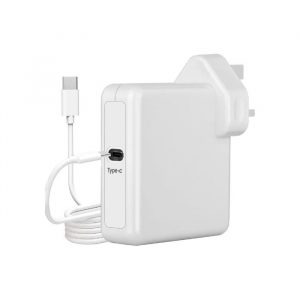
Pro tip: Grab a USB-C hub if you buy a slim ultrabook. That small gadget unlocks everything, including a second screen, a wired mouse, phone charging, and even wired internet when Wi-Fi ghosts you.
Desktops still shine for specific roles like graphic design and video editing. They deliver more processing power per shilling compared to laptops, making them cost-effective for heavy creative work. Plus, desktops run cooler during Kenya’s hot afternoons and can be easily upgraded piece by piece as your needs grow.
Double Your Screen, Double Your Sanity
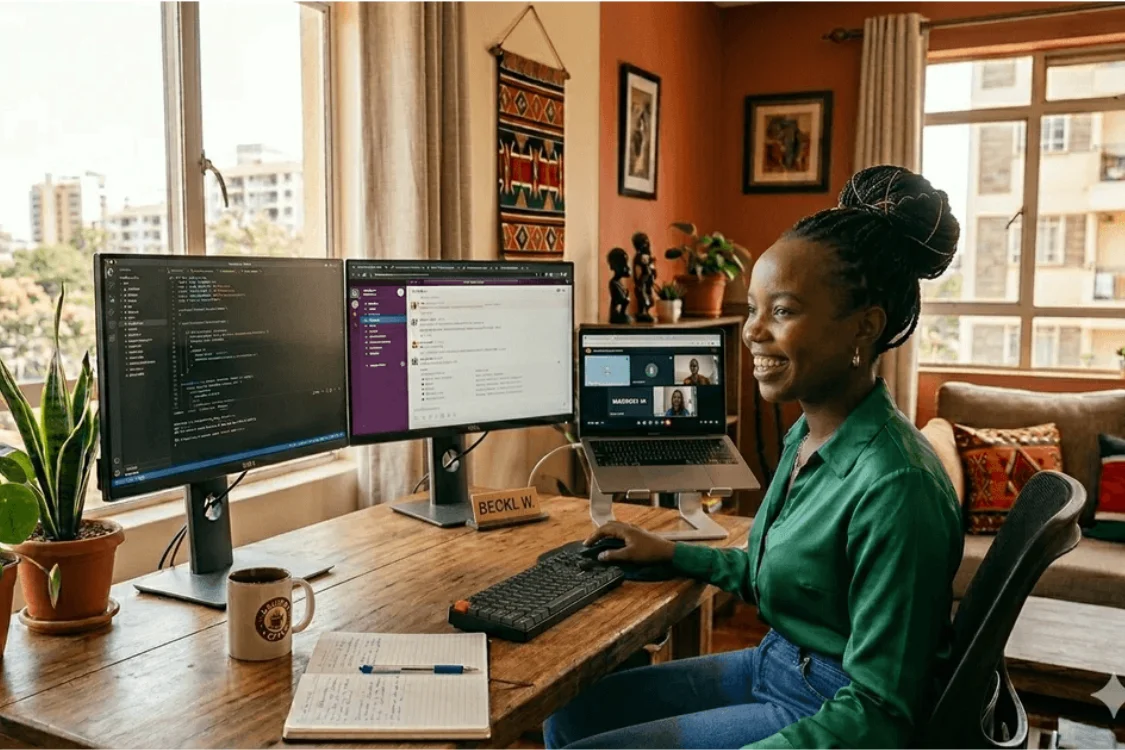
Staring at one cramped screen all day? You’re fighting an uphill battle nobody warned you about. A second monitor changes everything. Email stays open on the left. Your document lives on the right. Analytics dashboards run silently while you present on camera. No more frantic Alt+Tab gymnastics stealing your mental focus.
Start with a basic 22-inch monitor or a portable display. Your eyes and your sanity will thank you.
Internet That Doesn’t Quit on You
Kenya’s internet scene demands backup plans, always. Your main router needs to be a modern dual-band unit for fast speeds and broader coverage. When your boss schedules a last-minute call, you don’t have time to wrestle with IP addresses. A decent router keeps calls stable even when the whole family streams TikTok.
Wi-Fi extenders are a must-have for remote workers. Seriously. If your “office” is in the bedroom and your router lives in the living room, then connectivity can become an issue. You know the struggle when video calls freeze or downloads crawl to a halt. An extender bridges that gap without ugly cables snaking across your floor.
Keep a backup internet plan. A 4G MiFi device gives you a portable, dedicated connection anywhere Safaricom or Airtel has coverage. It is also more reliable than phone tethering and saves your phone battery. For ultimate failover? Some modern routers accept SIM cards. When fiber dies, they auto-switch to 4G. Ask us about dual-SIM routers if downtime isn’t an option.
Power Solutions That Actually Work
Load shedding is public enemy number one for remote workers. You need to fight back smartly. Laptops with solid batteries are your first defence. But don’t stop there.
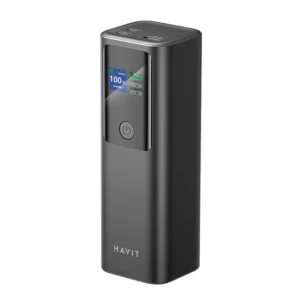
USB-C power banks with 65W+ output recharge your laptop multiple times. Even during a long, 4-hour blackout, you keep working without any panic. Just peace of mind.
UPS units are non-negotiable for desktop users. Even laptop folks need one to keep routers, monitors, and Wi-Fi extenders alive when lights vanish. A 650VA–1000VA UPS buys you 30–90 minutes to finish work or shut down gracefully.
And please remember to use a surge protector. Kenya’s power grid spikes without warning. That KSh 1,500 protector saves you from replacing a KSh 60,000 laptop. Protect your devices and safeguard your pocket too.
Don’t Skip the Ergonomics
Working from bed sounds cozy until month three hits. Then your back screams, neck stiffens, and wrists ache nonstop. This usually happens because most remote workers overlook ergonomics when planning their home setups.
Grab an adjustable chair with proper back support. Position your screen at eye level by using a laptop stand plus an external keyboard and mouse when you can. These small shifts prevent injuries that derail careers.
Small touches matter too. A cable management kit turns that rat’s nest under your desk into a clean, professional setup. Sounds minor, but an organized space keeps your mind clear.
Sound and Video: The Silent Career Boosters
Built-in laptop mics pick up everything from ceiling fan whirring and matatus hooting outside to your neighbour’s poor taste in music. That means your colleagues struggle to hear you during Zoom calls. They only hear background noise when you try to talk, and not your brilliant ideas.
A basic headset with a noise-cancelling mic costs less than most sherehes. However, it is a worthwhile investment as it projects professionalism. People actually listen when you speak, and that’s crucial for any career development.
Video matters too. Most laptop webcams are 720p and struggle in low light. Opting for a 1080p webcam with decent low-light performance makes you look sharp and more presentable, not shadowy.
Build Smart, Not All at Once
You don’t need to buy everything today. Start with the essentials:
- Reliable laptop with decent battery or a desktop
- Stable internet (router + extender if needed)
- Basic power protection (surge protector minimum)
- Laptop stand or portable display (reduces work strain)
- Decent webcam and headset for video calls
Add an ergonomic seat and UPS as your income grows. Many laptops support RAM upgrades later, so start with 8GB now, and then jump to 16GB when your workflow demands it.
Ready to Build Your Real Home Office?
Digitonia equips Kenyan remote workers with genuine and reliable gear that can handle load shedding, spotty internet, long workdays, and sweltering afternoon heat. Our team guides your setup so everything works perfectly from day one.
Our fast and safe delivery reaches every corner of Kenya. Even that small town your relatives keep asking you to visit, we deliver there too. Stop fighting your setup and start thriving in it.
Build your productive workspace today:
WhatsApp or call 0795 920 902 for personalized recommendations based on your actual budget and work needs.
Join our WhatsApp Channel to get access to the latest products and prices first.



Leave a comment
You must be logged in to post a comment.